
Features
Everything a course needs, step by step
From the first booking to the renewal reminder, here is what Flow does at each step. Every feature is on every plan.
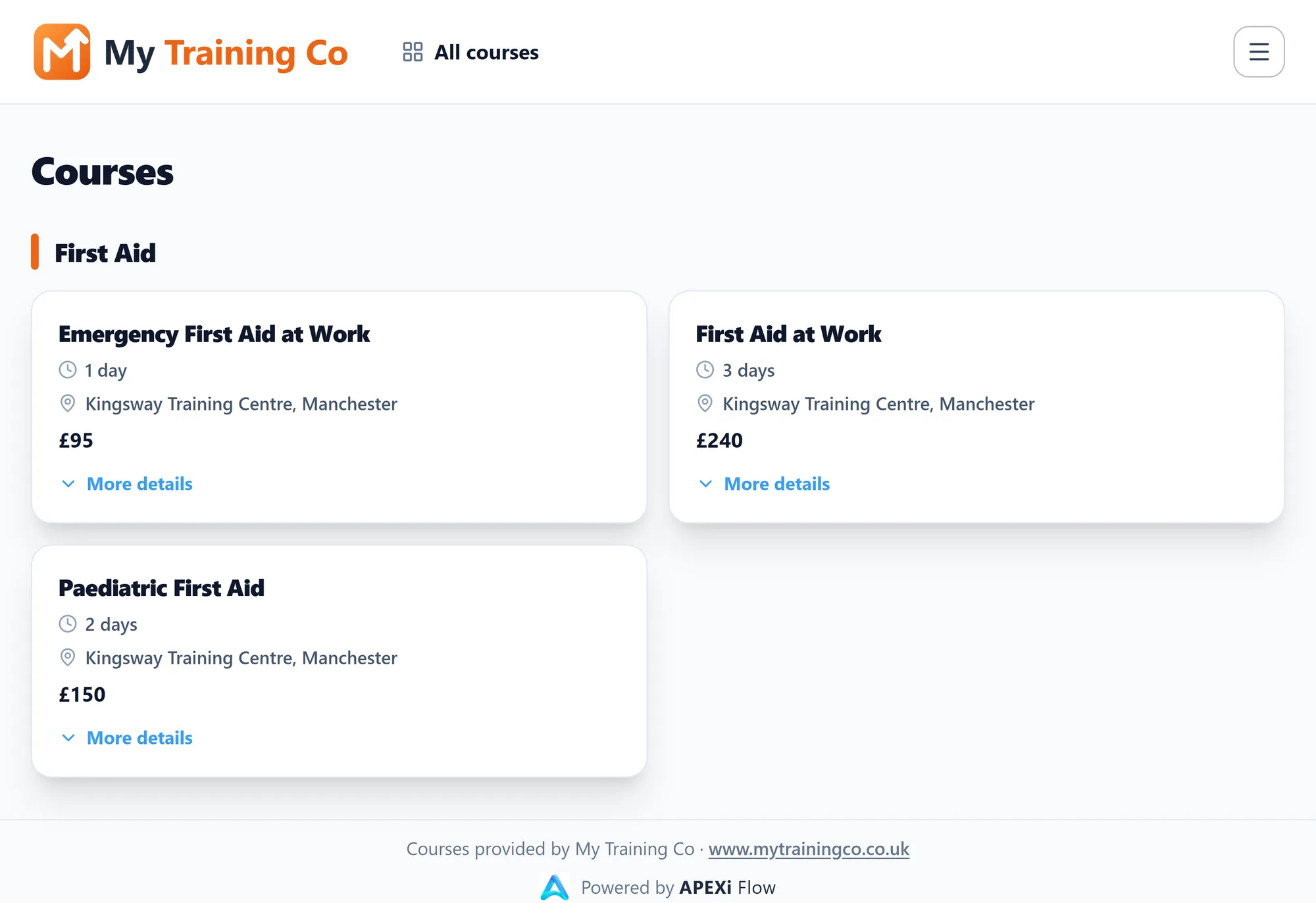
Step 1 · Book
Your courses, on your own page
List your courses online and link to them from your own website. Listing is free, and bookings with card payment are there on every plan.
- Simple to set up, without having to redesign your website
- Every date on a calendar and in a list: open courses, and private courses run for a client
- An Online Listing in your branding, linking to all your courses, a category or a single course
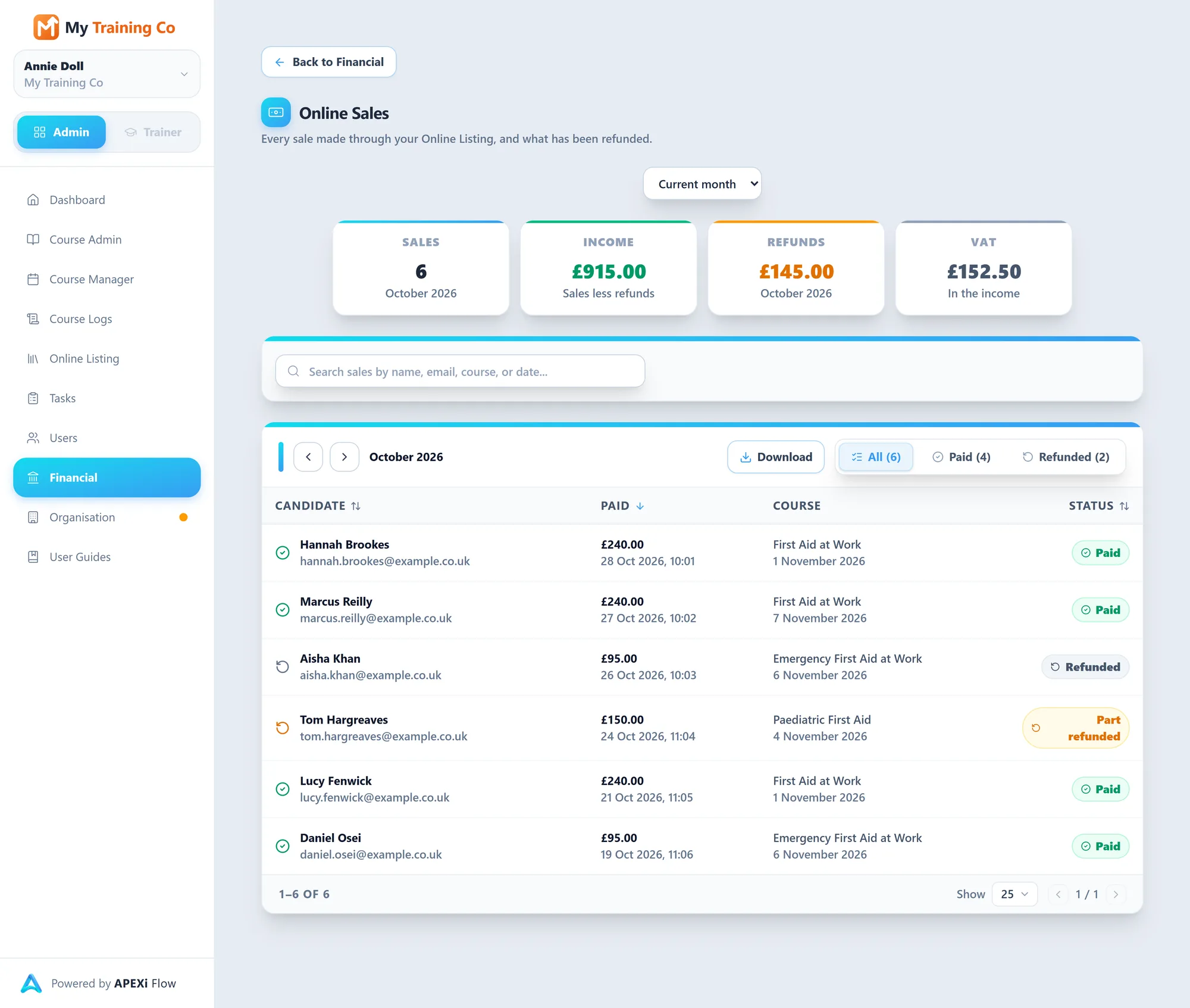
- Bookings and card payments taken online, with refunds when you need them
- A full date shows as fully booked, with a way for visitors to ask about it
- Your dates in Google, Outlook or Apple Calendar, and each trainer’s in theirs
Step 2 · Register
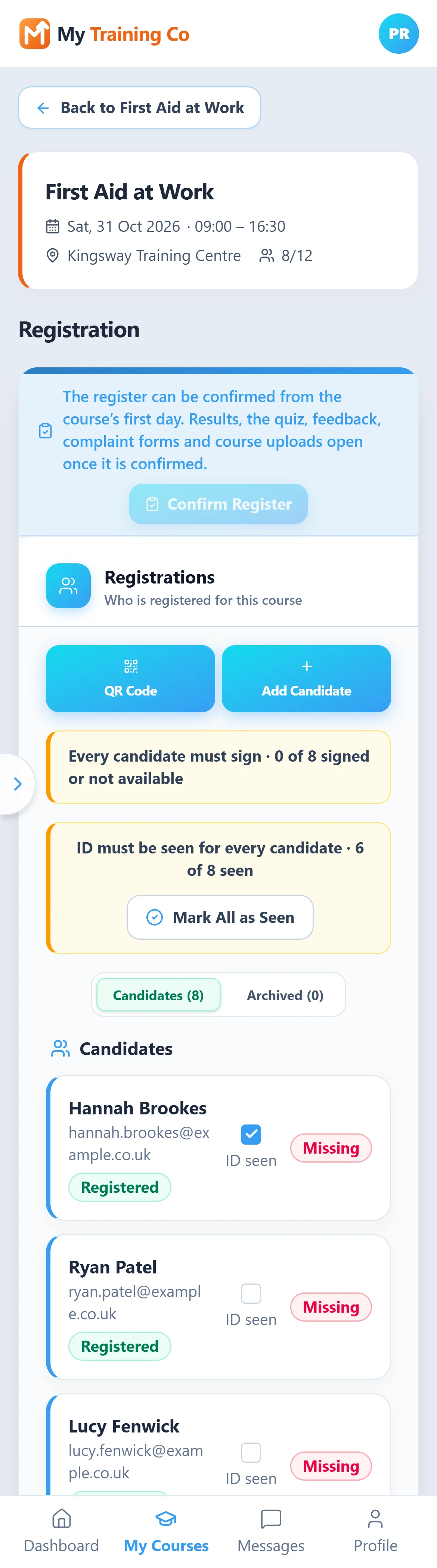
Candidates register themselves
From a QR code in the room or a link sent ahead. Nobody needs an account or a password, and nothing is typed in twice.
- The QR code shown on a projector, or from the trainer’s phone
- Or the link emailed ahead, to each candidate or to a client to pass on to their staff
- Your own registration form, with your own questions and declarations
- ID checks and signatures, where the course needs them
- Answers that need a second look flagged for you
Unlimitedcourses and registrations
Step 3 · Deliver
Run the day from a laptop or a phone
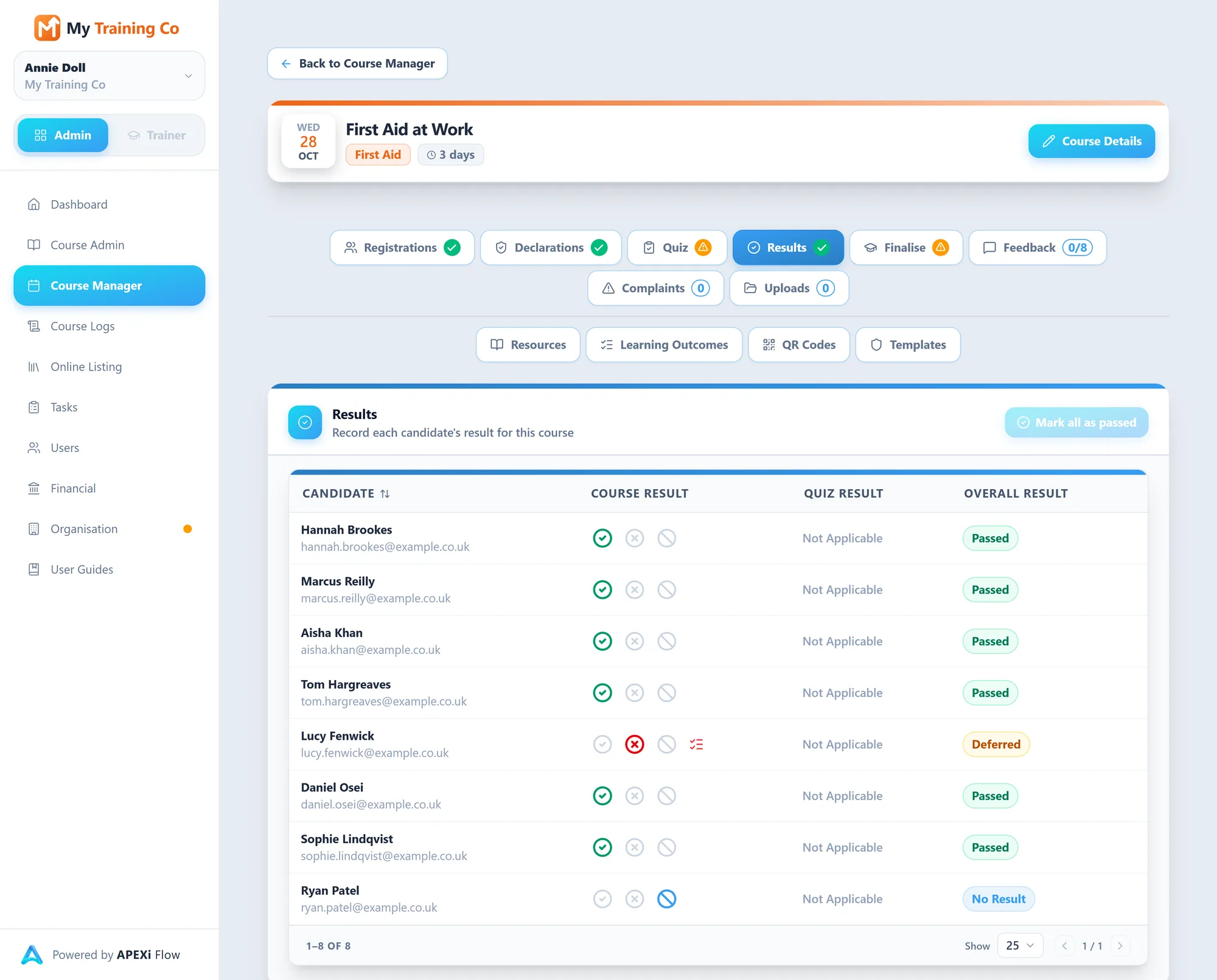
Confirm the register and everything the course needs opens up: the quiz, results, feedback and uploads.
- Quizzes on the candidate’s own phone, marked against your pass mark
- Or a quiz printed for a paper sitting, with the marks entered after
- Feedback and complaint forms by QR code or email
- Signed registers and course documents kept with the course
Step 4 · Certify
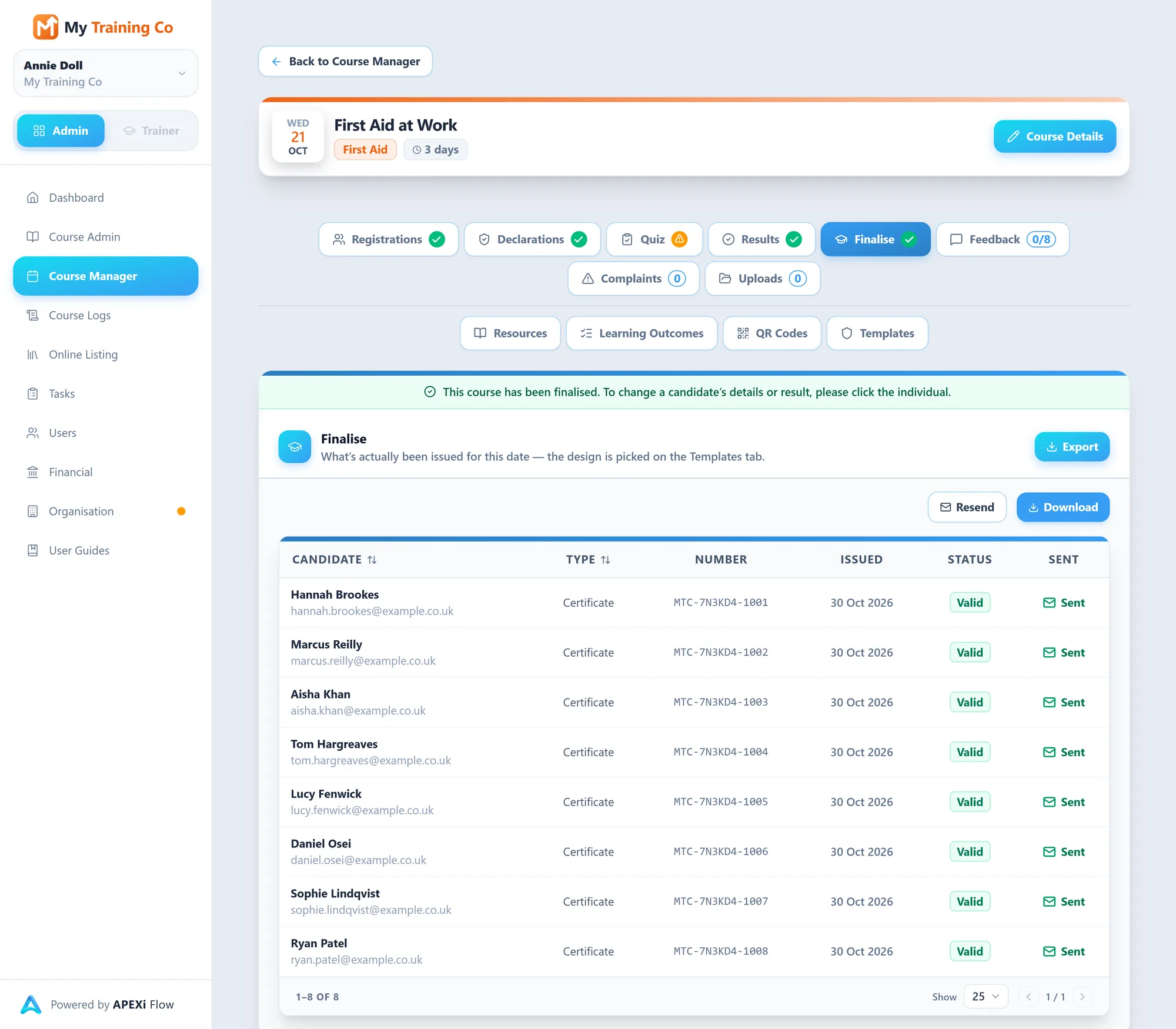
Every certificate, in one click
Certificates are made from the results that were recorded, so nobody types a name twice.
- Each result recorded as passed, deferred or no result
- Finalise, and every certificate goes out as a PDF in your own design
- Each candidate gets their own, and a client gets one link for the whole course
- A QR code on every certificate shows anyone whether it is current
- Reissue or revoke a certificate whenever you need to
UnlimitedDesigns
Step 5 · Bill
Know who has paid, course by course
Flow keeps track of who owes what. Your invoices are raised in your own accounts, and card payments go straight to your own Stripe account.
- Payment Tracker: every course in the month, and who on it has paid
- Candidates and clients marked as invoiced, with the amount, as you go
- The client’s billing details and VAT number to hand when you invoice
- Online Sales: every card payment and refund, ready to download
- Your financial data exported whenever you need it
Step 6 · Remind
Bring them back for the next one
Two renewal reminders before a certificate runs out, at the times you set.
- Sent to candidates, and to the client on a client course
- For awarding organisation certificates too
- Every reminder waiting to go out, and what happened to the ones sent
- Certificates expiring in the next 30, 60 and 90 days on your dashboard
- An email log showing what was sent, delivered, opened or bounced
First notice
Months ahead, while there is time to book.
Final notice
A last call before the certificate runs out.
You set when each one goes.
IQA and EQA
Ready when your verifier asks
The record of every course builds itself as the course runs, so there is nothing to put together before a visit.
- 1
See what you ran
Every course, a month at a time, with who delivered it and whether it has been finalised. Search by course or trainer.
- 2
Open any course
Its details as they were on the day it ran, not as its template reads now.
- 3
Download its Course Pack
One PDF: details, learning outcomes and criteria, the register, quiz, feedback, results, certificates issued and complaints.
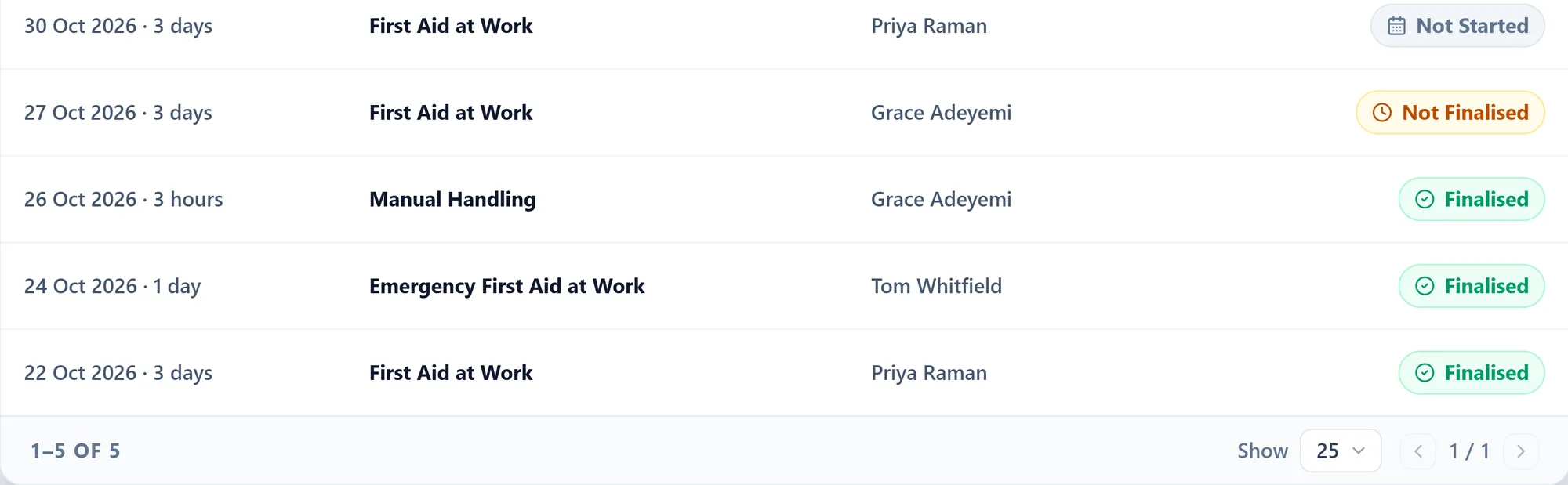
Nothing can be changed on this screen, so it is safe to open with your verifier beside you.
In the training room
A trainer app, built for a phone
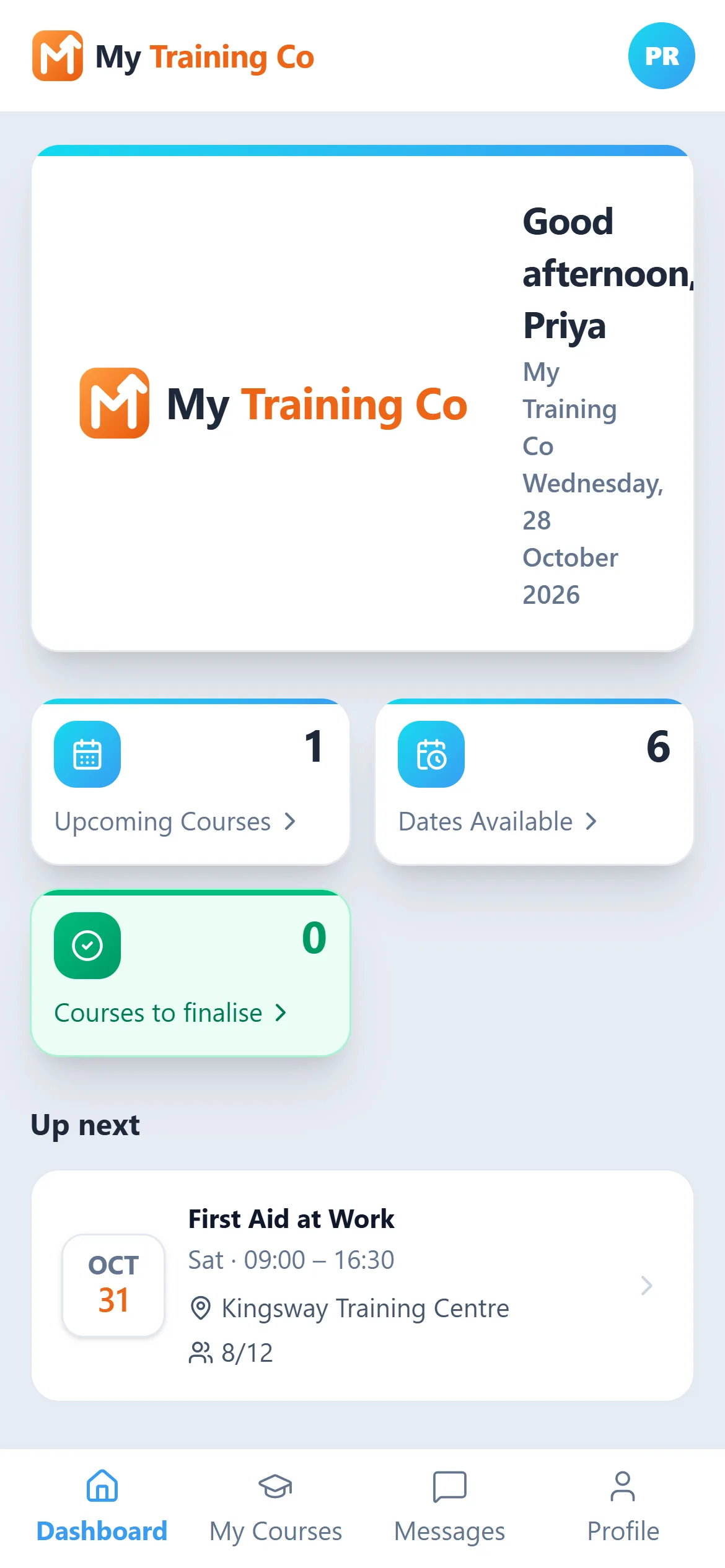
Each trainer sees only their own courses. It opens in the phone’s browser and goes on the home screen, with nothing to download from an app store. Run everything yourself and you are the trainer too, on the same sign-in.
Running a course
- Course details, learning outcomes and resources to hand
- The registration QR code, and the register filling in as candidates scan it
- Each candidate’s declarations read before the start
- Results recorded and the course finalised
- The signed register and other documents uploaded
Working with the office
- Messages to and from the office
- Dates with no trainer yet, and a request to deliver them
- Their own qualifications and expiry dates, kept up to date
- Their course dates in their own calendar
Nothingto install
Set up your way, and yours to keep
Bring what you have
Import clients, candidates and courses from a spreadsheet, with a preview before and an undo after.
Make it look like you
Your logo and colours on your certificates, forms, emails and Online Listing.
Take it with you
Export every certificate you have issued, all your data and your financials, whenever you want.
See it working on your own courses
Setting up is free, with no card needed until you run your first course. Or book a free setup session and we will import your records for you.